 Skip to content
How to Recognize a Fake Electricity Bill Website
A legitimate bill-check page should not ask for a banking password, card PIN, wallet PIN or one-time code just to display a bill. Check the domain carefully, use HTTPS, compare results with the public PITC bill service, and treat urgent payment demands, prize claims, downloads or requests for excessive personal information as warning signs.
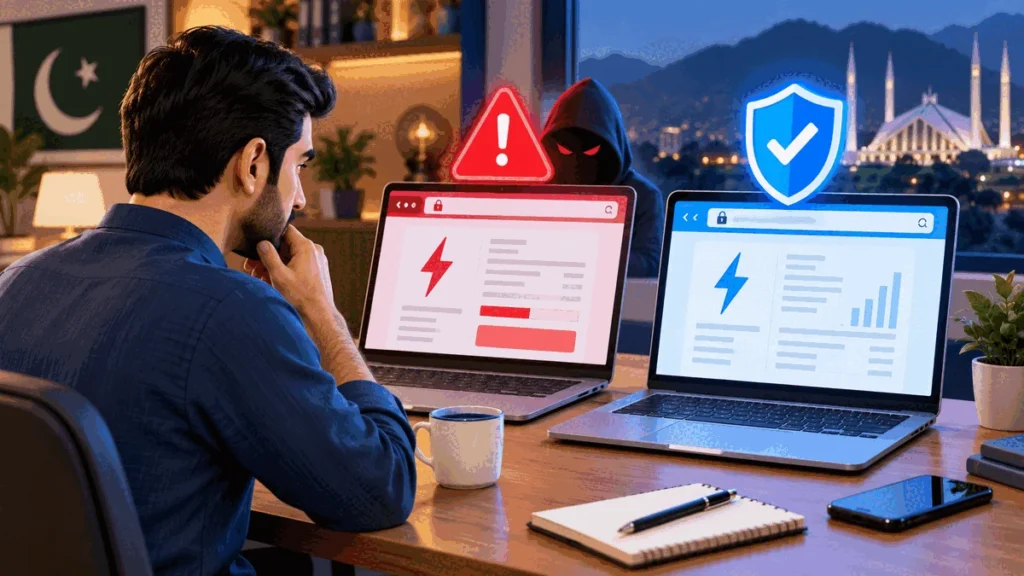
A legitimate bill-check page should not ask for a banking password, card PIN, wallet PIN or one-time code just to display a bill. Check the domain carefully, use HTTPS, compare results with the public PITC bill service, and treat urgent payment demands, prize claims, downloads or requests for excessive personal information as warning signs.
Independent information website; not an official FESCO, PITC, WAPDA or government service.
Check the address before entering anything
Look at the full domain, not only the page logo or headline. Attackers can copy colors and names while using a misspelled or unrelated address. HTTPS protects the connection but does not prove that the operator is genuine, so combine the lock symbol with a domain and purpose check.
Know what a bill lookup needs
The current public FESCO bill interface visibly supports a 14-digit Reference Number or 10-digit Customer ID. A simple lookup should not require a CNIC image, bank login, card details, wallet PIN or OTP. Stop if the page asks for credentials unrelated to viewing a bill.
Verify the displayed bill
Compare the consumer details, billing month, units, due date and amount with a recent record. For an important payment or dispute, open the PITC-hosted FESCO bill page directly or use an official FESCO channel. Do not trust a screenshot sent by an unknown person as the only evidence.
Warning signs
Be cautious with forced app downloads, browser notification prompts, unrealistic discounts, refund guarantees, prize messages and countdown timers. A site that claims it can alter an official bill or payment status is misleading. Avoid files with unexpected executable extensions.
Safer payment habits
Use a bank, recognized wallet or another payment method you already trust. Confirm the biller and consumer details inside the payment service. Save the receipt. If a payment request arrives through an unsolicited message, navigate independently instead of using the embedded link.
Practical checklist
- Use a recent bill and verify the consumer details before acting.
- Prefer the relevant official or primary source and note its date.
- Keep screenshots, meter photos, bills and payment receipts when a dispute is possible.
- Never share a password, PIN or one-time code for a bill lookup.
- Use the FESCO bill checker for the latest available bill and consult our fact-checking policy.
Frequently asked questions
Does HTTPS mean a bill website is official?
No. HTTPS encrypts the connection, but an unrelated or fraudulent site can also use it. Check the domain and verify important information independently.
Should a bill checker ask for my OTP?
No. An OTP, PIN or password is not needed merely to retrieve a public bill record by Reference Number or Customer ID.
What should I do after entering information on a suspicious site?
Close the page, change any exposed credentials through the real provider, contact the relevant bank or wallet if financial details were entered, and monitor the account.
Is Fesco Check Bill an official FESCO site?
No. It is an independent information website and is not FESCO, PITC, WAPDA or a government service.
Sources and verification
This guide was checked against the following sources used for the claims above:
For related guidance, see About Us, the Editorial Policy and the Disclaimer.
Reviewed by FESCO Team. Scheduled for September 27, 2026.
{“@context”:”https://schema.org”,”@type”:”FAQPage”,”mainEntity”:[{“@type”:”Question”,”name”:”Does HTTPS mean a bill website is official?”,”acceptedAnswer”:{“@type”:”Answer”,”text”:”No. HTTPS encrypts the connection, but an unrelated or fraudulent site can also use it. Check the domain and verify important information independently.”}},{“@type”:”Question”,”name”:”Should a bill checker ask for my OTP?”,”acceptedAnswer”:{“@type”:”Answer”,”text”:”No. An OTP, PIN or password is not needed merely to retrieve a public bill record by Reference Number or Customer ID.”}},{“@type”:”Question”,”name”:”What should I do after entering information on a suspicious site?”,”acceptedAnswer”:{“@type”:”Answer”,”text”:”Close the page, change any exposed credentials through the real provider, contact the relevant bank or wallet if financial details were entered, and monitor the account.”}},{“@type”:”Question”,”name”:”Is Fesco Check Bill an official FESCO site?”,”acceptedAnswer”:{“@type”:”Answer”,”text”:”No. It is an independent information website and is not FESCO, PITC, WAPDA or a government service.”}}]}Check your FESCO bill in seconds
Enter your 14-digit reference number and your current bill, due date and downloadable copy load right away.
Disclaimer: FESCOCheckBill.com.pk is an independent, informational guide and is not affiliated with, endorsed by, or operated by the Faisalabad Electric Supply Company (FESCO) or PITC. All bill data displayed comes directly from FESCO's official billing records. This site does not generate, alter, or process payments.


