Skip to content
FESCO Online Bill Check Next Month: What You Can Actually See in Advance
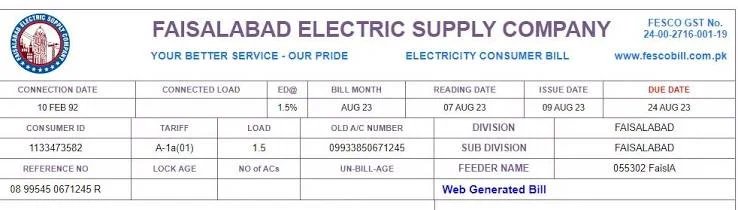
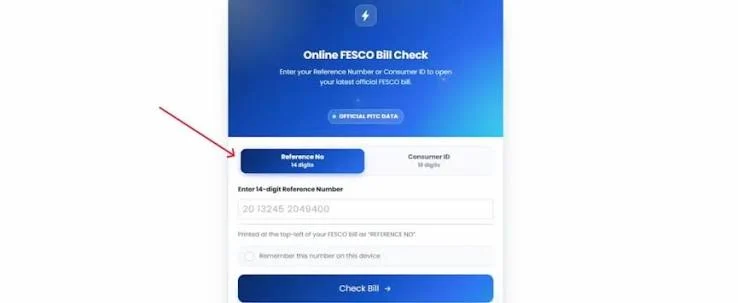
The next FESCO bill cannot be viewed before it is issued. The public PITC bill portal shows the latest available bill after billing data is processed. Check the homepage bill checker after your usual billing period, and use the previous-bill history guide to understand older information. Independent information website; not an official FESCO or PITC service.
Can You Check Next Month’s FESCO Bill in Advance?
Not directly. FESCO like every DISCO in Pakistan only generates a bill after your meter has actually been read for that billing cycle. Until that reading happens and the bill is processed through the PITC system, there’s nothing for the reference number or Customer ID search to pull up. Any website claiming to show you next month’s exact bill before it’s issued is either showing you last month’s data again or simply not accurate.
What you can do is get close to an accurate number using your own consumption pattern, which is covered further down.
Why FESCO Bills Aren’t Available in Advance
Two things have to happen before a bill exists at all:
- A meter reader records your current unit reading for the new cycle.
- That reading is processed by FESCO and pushed through the shared PITC billing system, which is what every checking website and app actually queries.
Only after processing is complete does the new bill record become available through the public portal. The interface does not provide a consumer-facing draft or advance preview.
When Is the Next FESCO Bill Usually Generated?
Billing follows the connection’s meter-reading and processing schedule, so the availability date varies by area and account. If your last bill’s due date was, for example, around the 20th of the month, expect the next one to follow a similar rhythm the following month rather than an identical calendar date.
If you want to know exactly when your area’s meter reading and billing date falls, your existing bill’s billing month and issue date give the best clue — the pattern tends to repeat month after month for the same connection.
How to Estimate Next Month’s Bill Amount
Since you can’t view the actual bill early, the closest thing to a preview is an estimate based on your own electricity usage:
- Note your current meter reading.
- Compare it against the reading from your last bill to see how many units you’ve used so far this cycle.
- Use a FESCO bill calculator (available on most bill-checking websites) and enter your estimated total units for the month.
- The calculator applies the current tariff slab rates and gives you an approximate amount, including taxes.
This won’t match the final bill exactly — taxes, the Fuel Price Adjustment, and any surcharge from a missed previous payment all get added later — but it’s close enough to avoid a surprise, especially useful during summer months when air conditioner usage pushes consumption noticeably higher.
How to Know When a New Bill Is Available
Check the issue-date pattern on recent bills, then search again after the connection’s usual billing period. If FESCO currently offers account notifications for your registered mobile number, treat them as a convenience rather than a guarantee and confirm the complete bill through the public portal.
What Happens If You Try to Check Before the Bill Is Issued
Entering your reference number before the new bill has been generated typically returns one of two things: your previous month’s bill is shown again, unchanged, or the site displays a “bill not found” style message. Neither means something is wrong it just means the new cycle hasn’t been processed yet. Trying again in a few days, once your area’s usual billing date has passed, usually resolves it.
Reducing Next Month’s Bill While You Wait
If your goal in checking early is really about controlling next month’s amount rather than just viewing it, a few habits make a bigger difference than watching the portal:
- Track heavy appliances air conditioners, water heaters, and motors account for most of a typical spike.
- Compare this month’s units against last month’s using the bill history table, not just the total amount.
- Shift high-load appliance use where possible to avoid peak consumption patterns.
- Use the bill calculator monthly to catch unusually high estimated usage before the actual bill arrives.
FESCO Bill Check: Current vs Previous vs Next Month
These three terms get mixed up often enough that it’s worth separating them clearly:
- Current month — the most recently issued bill, available now using your reference number or Customer ID.
- Previous month — found in the bill history table attached to your current bill, covering roughly the last 12 cycles.
- Next month — not available yet; only an estimate is possible until the new bill is actually generated.
FAQs
Can I see my FESCO bill for next month before it’s issued?
No. FESCO only generates a bill after your meter reading for that cycle is recorded and processed. Until then, there’s nothing to look up.
How can I estimate my next FESCO bill?
Use a FESCO bill calculator with your estimated units for the month, based on the difference between your last recorded reading and your meter’s current reading.
How do I know when my next FESCO bill will be generated?
Check the issue date and due date pattern on your last few bills most connections follow a consistent monthly cycle.
Can FESCO notify me automatically when the new bill is ready?
Notification availability depends on FESCO’s current services and your registered contact details. Confirm the complete bill through the public portal.
Why does the portal keep showing my old bill when I search early?
Because the new cycle’s bill has not been made available yet, the portal may continue to show the latest processed bill.
Final Thoughts
A FESCO online bill check for next month isn’t really a lookup it’s an estimate. There’s no way to view a bill that hasn’t been generated, but between a bill calculator, your own meter reading, and an SMS or email alert set up in advance, you can get a realistic idea of what’s coming and know the moment the actual bill is ready, without refreshing the portal every day.
Check your FESCO bill in seconds
Enter your 14-digit reference number and your current bill, due date and downloadable copy load right away.
Disclaimer: FESCOCheckBill.com.pk is an independent, informational guide and is not affiliated with, endorsed by, or operated by the Faisalabad Electric Supply Company (FESCO) or PITC. All bill data displayed comes directly from FESCO's official billing records. This site does not generate, alter, or process payments.